Introducing Relock on iLoveView
Some videos are worth revisiting.
With the new Relock feature, iLoveView allows users to schedule received videos to reappear in their inbox automatically at selected intervals.
Whether it’s an important reminder, a motivational message, or meaningful personal content, Relock helps users revisit videos on a recurring schedule.
To use Relock:
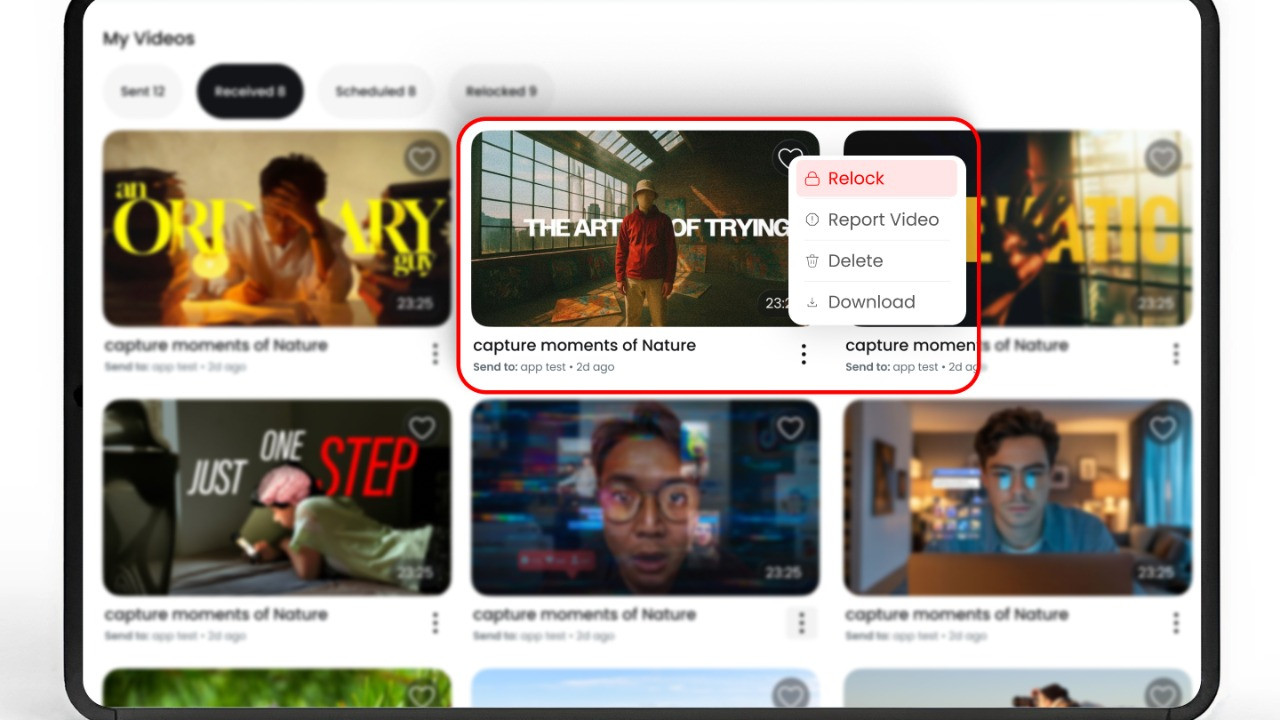
Open the Received Videos page
Select the video options menu
Choose the “Relock” option
Set the preferred frequency and start time
Users can schedule videos daily, weekly, or at custom intervals depending on their preference.
All scheduled videos can be viewed and managed directly from the dedicated Relock section within the platform.
This feature is designed to make important content easier to revisit whenever it matters most.